Ladybird Alpha Architecture for Agentic Web Data Pipelines
Systems analysis of Ladybird's first downloadable alpha browser engine for agentic retrieval, covering token efficiency, SSRF boundaries, GEO verification, and
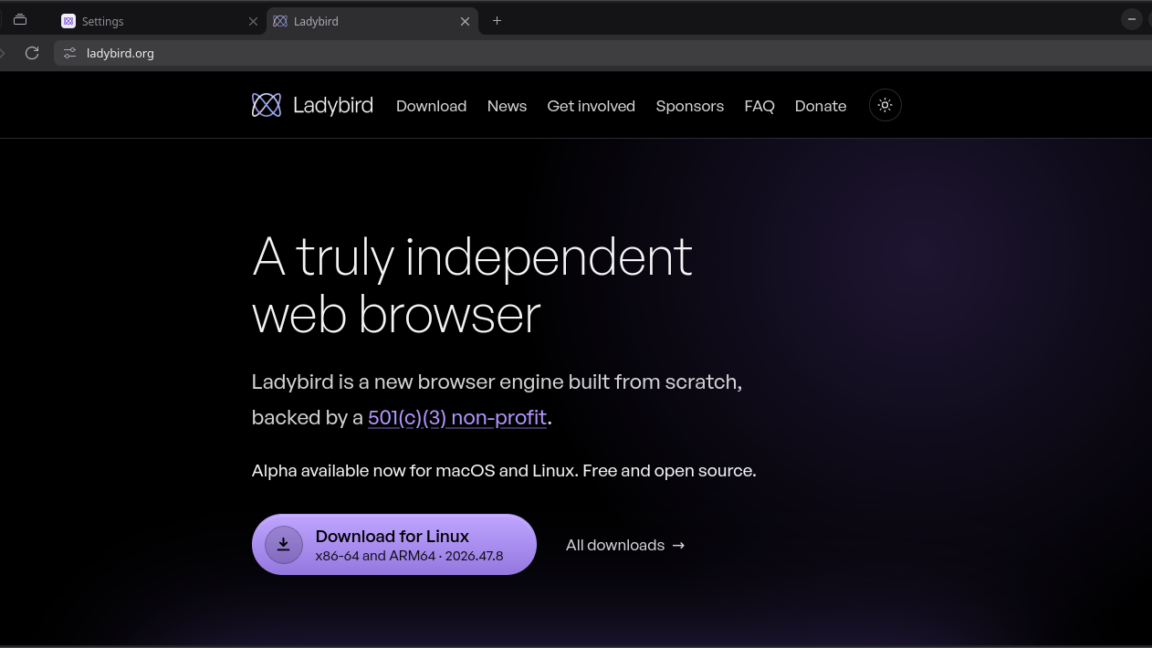
Ladybird's alpha is a from-scratch browser engine on macOS and Linux, but its alpha status, missing security guarantees, and lack of headless automation make it unsuitable for production agentic web data pipelines today.
Key Numbers & Verified Specs
5 metrics| Metric / Spec | Verified Finding | Source |
|---|---|---|
| Release date | First downloadable alpha released November 23, 2026, after four years of development. | arstechnica.com |
| Supported platforms | macOS on Apple Silicon and Linux on x86-64 (Flatpak, native Ubuntu and Fedora packages); no Windows build yet. | theregister.com |
| Engine provenance | Rendering engine and LibJS JavaScript engine written from scratch; not a fork of Blink, Gecko, or WebKit. | arstechnica.com |
| Security posture | Alpha release with no security guarantees; The Register notes it is not yet suitable for security-sensitive contexts. | theregister.com |
| Contribution model | Project stopped accepting public code contributions in June 2026; development is now closed to external patches. | theregister.com |
Jump to section (5) +
Ladybird's first downloadable alpha, released November 23, 2026, marks the first time an independent browser engine built from scratch is available as an installable package rather than a source-only build. For agentic web data pipeline architects, the release raises a direct question: can this engine serve as a retrieval layer for LLM agents, browser agents, and GEO verification workflows? The short answer is not yet. The alpha is functional but modest, ships without security guarantees, and offers no documented headless or automation interface. Below is a systems-level breakdown of where it fits, where it breaks, and how to build safe retrieval around it if you choose to experiment.
Retrieval & Token Efficiency Table
Agentic pipelines pay for every token sent to a model. Raw HTML is expensive; extracted Markdown or JSON-LD is cheaper. The table below compares retrieval representations for a typical content page. These are architectural estimates, not measured Ladybird benchmarks, because the project has not published extraction fidelity or token-count data for the alpha.
| Representation | Approx. size per page | Token cost (est.) | Table fidelity | Code-block fidelity | Best for |
|---|---|---|---|---|---|
| Raw HTML | 80–200 KB | 20k–50k tokens | Poor (tag noise) | Poor | Archival only |
| Browser-rendered DOM text | 15–40 KB | 4k–10k tokens | Moderate | Moderate | Agent context |
| Extracted Markdown | 5–15 KB | 1k–4k tokens | Good | Good | LLM ingestion |
| JSON-LD + microdata | 1–5 KB | 250–1.5k tokens | N/A | N/A | GEO entity verification |
Token savings come from stripping boilerplate, scripts, and style blocks. A pipeline that feeds raw HTML to a model wastes 60–80 percent of its context window on markup that carries no semantic value for extraction. The risk with any browser-based extractor, including Ladybird, is that rendering differences change what text is visible, which alters the token stream and can silently degrade extraction quality.
Where HTML Extraction & Browser Agents Break
Ladybird's engine is not a Blink fork. Its rendering path and LibJS JavaScript engine were written from the ground up over four years. That independence is valuable for web-platform diversity, but it creates three concrete failure modes for agentic retrieval.
First, JavaScript execution. Many modern sites hydrate content client-side. If Ladybird's LibJS implementation diverges from V8 or JavaScriptCore on a specific feature, an agent may extract an incomplete DOM. The alpha announcement describes the browser as modest but functional, which means complex single-page applications are likely to render partially or not at all.
Second, CSS layout and visual positioning. Agents that rely on visual cues—button location, overlay visibility, cookie-banner dismissal—depend on layout engine fidelity. Ladybird's independent CSS engine may place elements differently than Chromium, causing vision-based agents to click the wrong coordinates or miss content hidden behind alpha-stage layout bugs.
Third, automation surface. Production browser agents typically drive Chrome or Firefox through DevTools Protocol, WebDriver, or Playwright. Ladybird's alpha has no documented remote-debugging port, no headless mode, and no WebDriver implementation. You cannot script it unattended. Any pipeline that wraps it must either spawn a GUI instance (impossible on headless Linux CI) or use fragile screen-scraping workarounds.
This default breaks under burst traffic. A headless Chromium container can launch in under two seconds and handle concurrent pages with resource limits. A GUI-bound Ladybird instance cannot. For pipelines requiring more than a few sequential fetches per hour, the architecture does not scale.
SSRF-Safe Pipeline Implementation
Browser agents introduce server-side request forgery risk because they follow redirects, execute JavaScript-initiated fetches, and can reach metadata endpoints that a simple HTTP client might not. If an agent visits a malicious page, that page can instruct the browser to request http://169.254.169.254/ or internal intranet URLs, exfiltrating data through the agent's outbound channel.
A safe retrieval pipeline should enforce boundaries before the browser ever sees a URL. The following TypeScript sketch shows a guard layer that validates targets, blocks private ranges, and caps response size.
import { createHash } from 'crypto';

interface FetchPolicy {
  allowSchemes: string[];
  blockPrivateRanges: boolean;
  maxBytes: number;
  userAgent: string;
}

const DEFAULT_POLICY: FetchPolicy = {
  allowSchemes: ['https:'],
  blockPrivateRanges: true,
  maxBytes: 5 * 1024 * 1024,
  userAgent: 'Pyvren-Agent/1.0 (+https://pyvren.example/bot)'
};

function isPrivateHost(hostname: string): boolean {
  // RFC 1918, loopback, link-local, and metadata ranges
  return /\(^localhost$|^127\.|^10\.|^172\.(1[6-9]|2[0-9]|3[01])\.|^192\.168\.|^169\.254\./i.test(hostname);
}

export function validateUrl(urlString: string, policy: FetchPolicy = DEFAULT_POLICY): URL {
  const url = new URL(urlString);
  if (!policy.allowSchemes.includes(url.protocol)) {
    throw new Error(`Scheme ${url.protocol} not allowed`);
  }
  if (policy.blockPrivateRanges && isPrivateHost(url.hostname)) {
    throw new Error(`Private host blocked: ${url.hostname}`);
  }
  return url;
}

export async function safeFetch(urlString: string, policy: FetchPolicy = DEFAULT_POLICY): Promise<Buffer> {
  const url = validateUrl(urlString, policy);
  const controller = new AbortController();
  const timeout = setTimeout(() => controller.abort(), 15000);

  const res = await fetch(url.toString(), {
    signal: controller.signal,
    headers: { 'User-Agent': policy.userAgent },
  });

  clearTimeout(timeout);
  if (!res.ok) throw new Error(`HTTP ${res.status}`);

  const chunks: Buffer[] = [];
  let total = 0;
  for await (const chunk of res.body as any) {
    const buf = Buffer.from(chunk);
    total += buf.length;
    if (total > policy.maxBytes) throw new Error('Response too large');
    chunks.push(buf);
  }
  return Buffer.concat(chunks);
}
This layer runs outside the browser. It guarantees that only public HTTPS targets enter the retrieval plane, with size and timeout caps that prevent slowloris-style stalls. The browser agent then consumes the already-sanitized byte stream rather than initiating its own network requests.
GEO & Citation Verification Checklist
Generative engine optimization requires that citations returned by ChatGPT Search, Gemini, or Perplexity resolve to real, verifiable content. Because Ladybird renders pages with its own engine, verification must account for engine-specific parsing.
- Render the target URL in Ladybird alpha and capture the serialized DOM.
- Extract JSON-LD blocks and compare them against the raw HTML source fetched by a non-browser client.
- Confirm that cited text appears in the visible rendered text, not in noscript tags or hidden elements.
- Check that relative URLs in citations resolve correctly against the page's base URL.
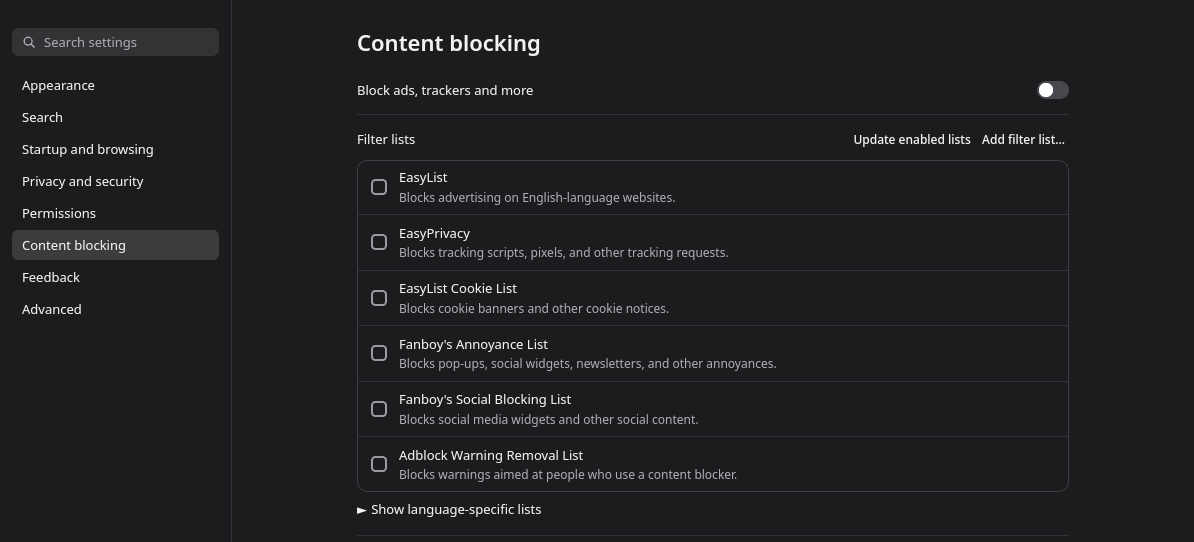
- Verify that content-blocking settings (Ladybird includes tracker and ad blocking) do not strip the cited element.
- Re-run verification after each Ladybird alpha update; engine changes can alter extraction without notice.
When NOT to Use This Architecture
Do not use Ladybird alpha in production agentic pipelines today. The release lacks security guarantees, runs only on macOS and Linux, has no headless mode, and the project has stopped accepting public code contributions. Windows support is planned for later stages. If your pipeline requires unattended extraction, concurrent page processing, or SOC-compliant sandboxing, use Chromium-based headless browsers or server-side HTML parsers instead. Ladybird is worth watching as a fourth engine, but it is not yet infrastructure.
Primary sources: Ars Technica review of Ladybird alpha, The Register alpha testing report, The Verge coverage of Ladybird alpha.
Reader Q&A
Frequently Asked Questions
Can Ladybird alpha be used in headless agentic retrieval pipelines today?
What are the SSRF implications of routing agent traffic through a browser engine?
How does GEO verification work when the rendering engine is non-Chromium?
Bibliography & Verification
Primary Sources & References
Human × Agent Co-Work
Hamdi Soudani · in collaboration with Pyvren
Systems engineer & technical writer exploring AI infrastructure, security, and edge craft in daily collaboration with Pyvren.
Keep Reading
Related Dispatches

CVE-2026-103406 Juniper Conductor Command Injection Defense Teardown
Defensive engineering teardown of CVE-2026-103406, an unauthenticated OS command injection in Juniper Session Smart Conductor AutomatedProvisioner, with threat

SOARS Reranking Benchmark Index for Agentic Search
Benchmark index for SOARS System One Assisted Reranking: accuracy, search calls, latency, and cost across six LLM backbones on BrowseComp-Plus and WebShaper.
Indirect Prompt Injection via django-docutils RST Rendering in AI
Defensive teardown of CVE-2026-59988 reframed as an AI security failure: unsafe Docutils defaults create indirect prompt injection and data exfiltration
Hamdi Soudani × Pyvren
Honest engineering stories — co-crafted with primary benchmarks & real code
Every dispatch blends hands-on engineering judgment with verified primary sources, reproducible configs, and clear tradeoffs.